Skip to content

Everything in Zignin

The whole open house, feature by feature.

Setup, sign in, follow up, and the business that comes out the other side. Here is what each part does.

Open house hosting

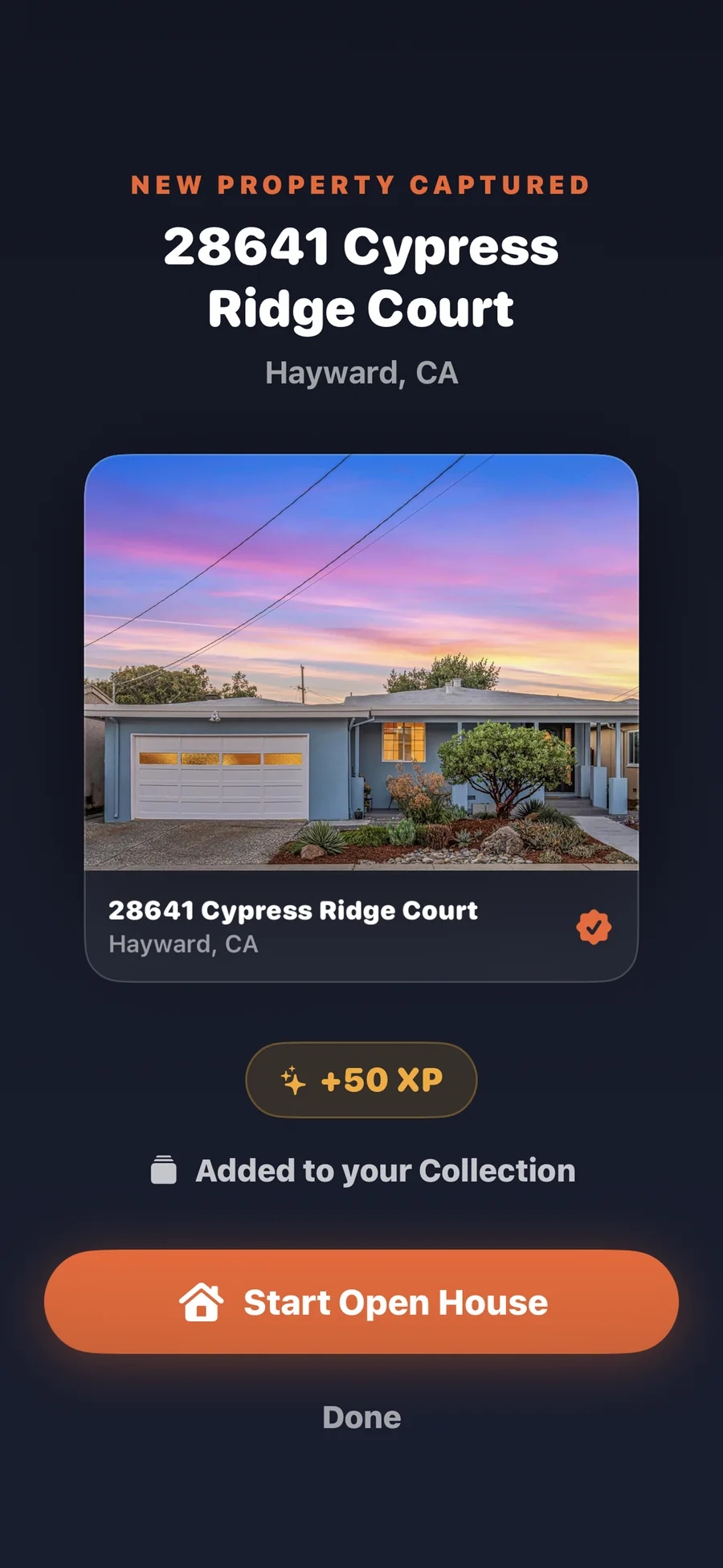
Start a session when you arrive and end it when you lock up. Everything that happens between those two taps belongs to that session, so nothing gets attributed to the wrong home.
  • Start and end a hosting session
  • One property, many sessions over time
  • A live visitor counter while you host
  • Optional agent PIN protection
Zignin on iPhone confirming a new property was captured and added to the Collection, with XP earned and a Start Open House button

Property Collection

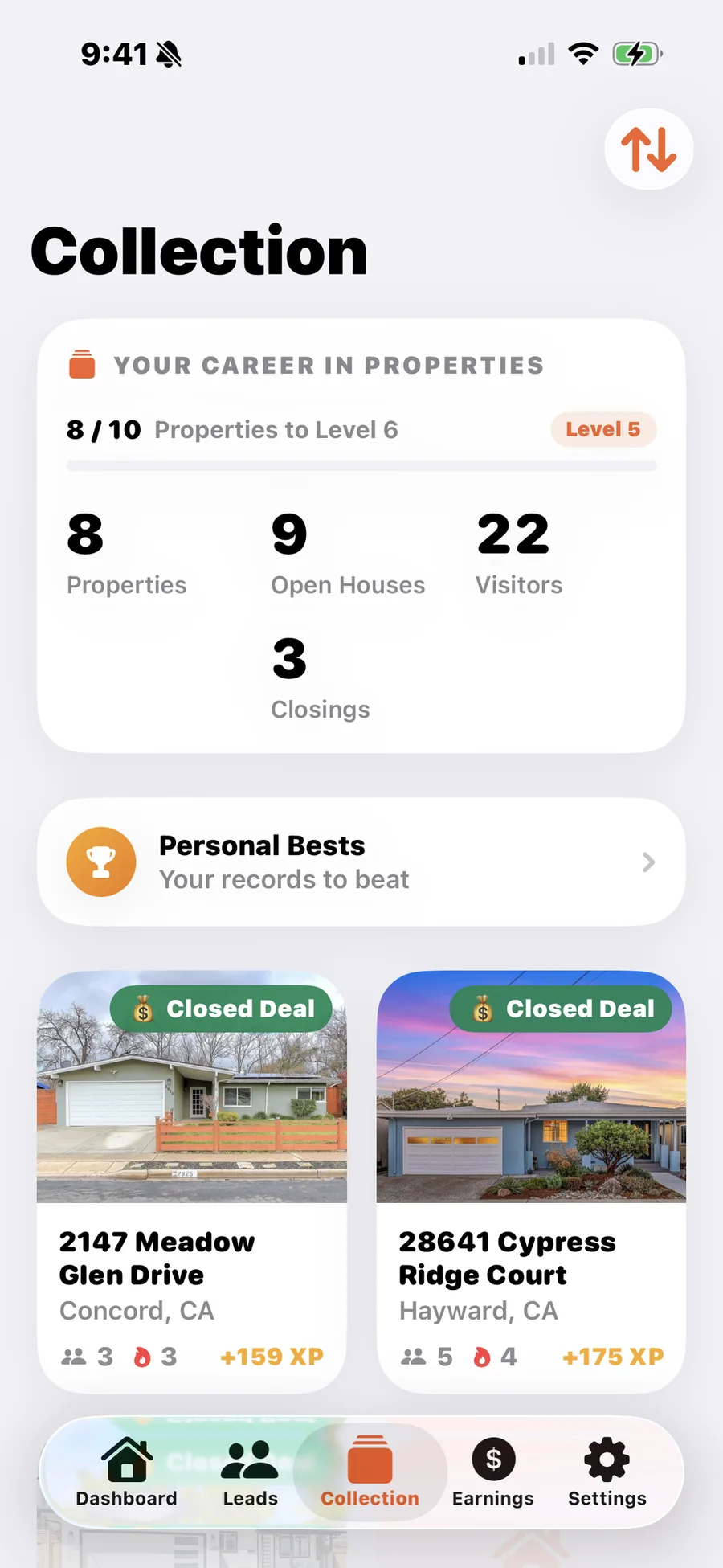
Capture the property when you get there and it becomes a card you keep. Over months the Collection turns into a visual record of the homes you have worked.
  • Capture a property in a few taps
  • Photos you select or shoot yourself
  • Repeat hosting stays on the same property
  • A visual history instead of a spreadsheet
The Zignin Collection on iPhone showing career totals for properties, open houses, visitors and closings above property cards from hosted open houses

Visitor sign in kiosk

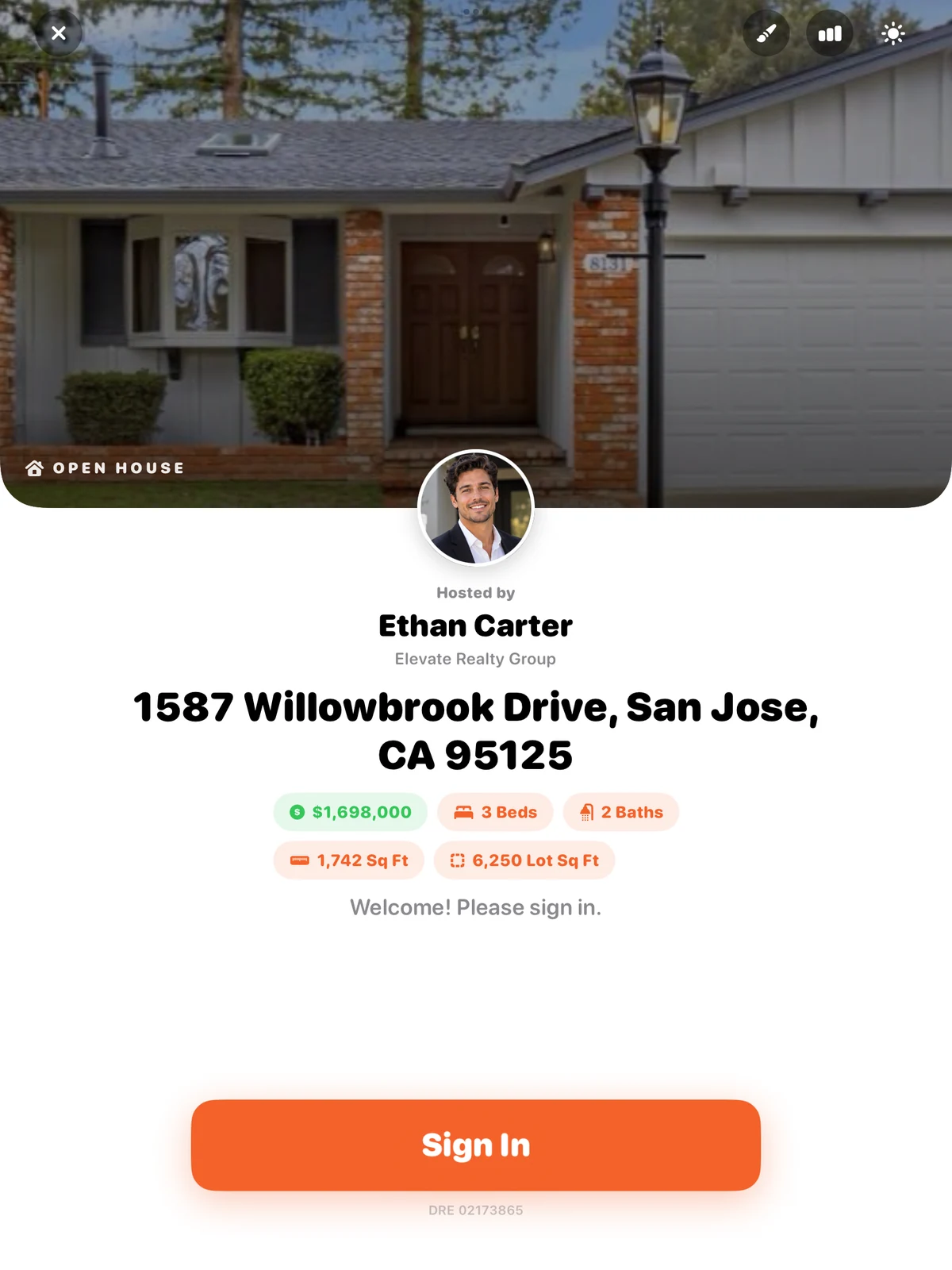
Hand the iPad to a visitor and Zignin becomes the front desk. It is fast enough that people finish it, and it looks like it belongs to you rather than to a software vendor.
  • Property photo and your branding
  • A short question flow
  • Three visual kiosk themes
  • Session visitor counter
  • Works on iPhone and iPad
  • XP and celebrations held until the session ends
The Zignin visitor sign in kiosk on iPad, showing the property photo, the hosting agent, the address, price, beds, baths and square footage, and a large Sign In button

Lead management

Sign ins arrive as leads, already tied to the property and session they came from. You open the app after the open house and the follow up list is already built.
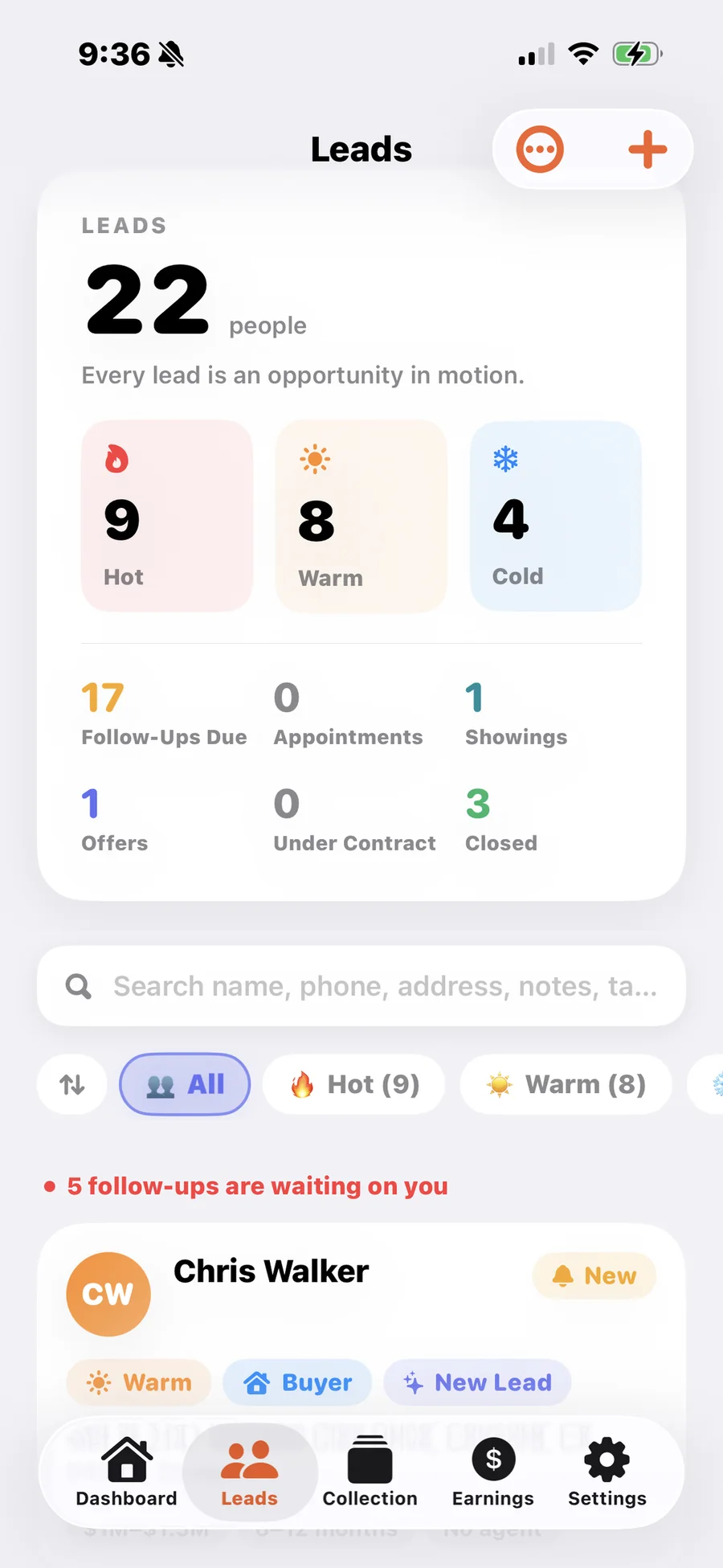
  • Contact information and notes
  • Timeline and pipeline stage
  • Linked to the session it came from
  • Full lead detail on every record
The Zignin Leads screen on iPhone with hot, warm and cold counts, follow ups due, pipeline stages and individual lead cards

Session reports

Ending an open house produces a recap of that session: who came, how they were rated, what is worth following up, and what you earned in XP for the work.
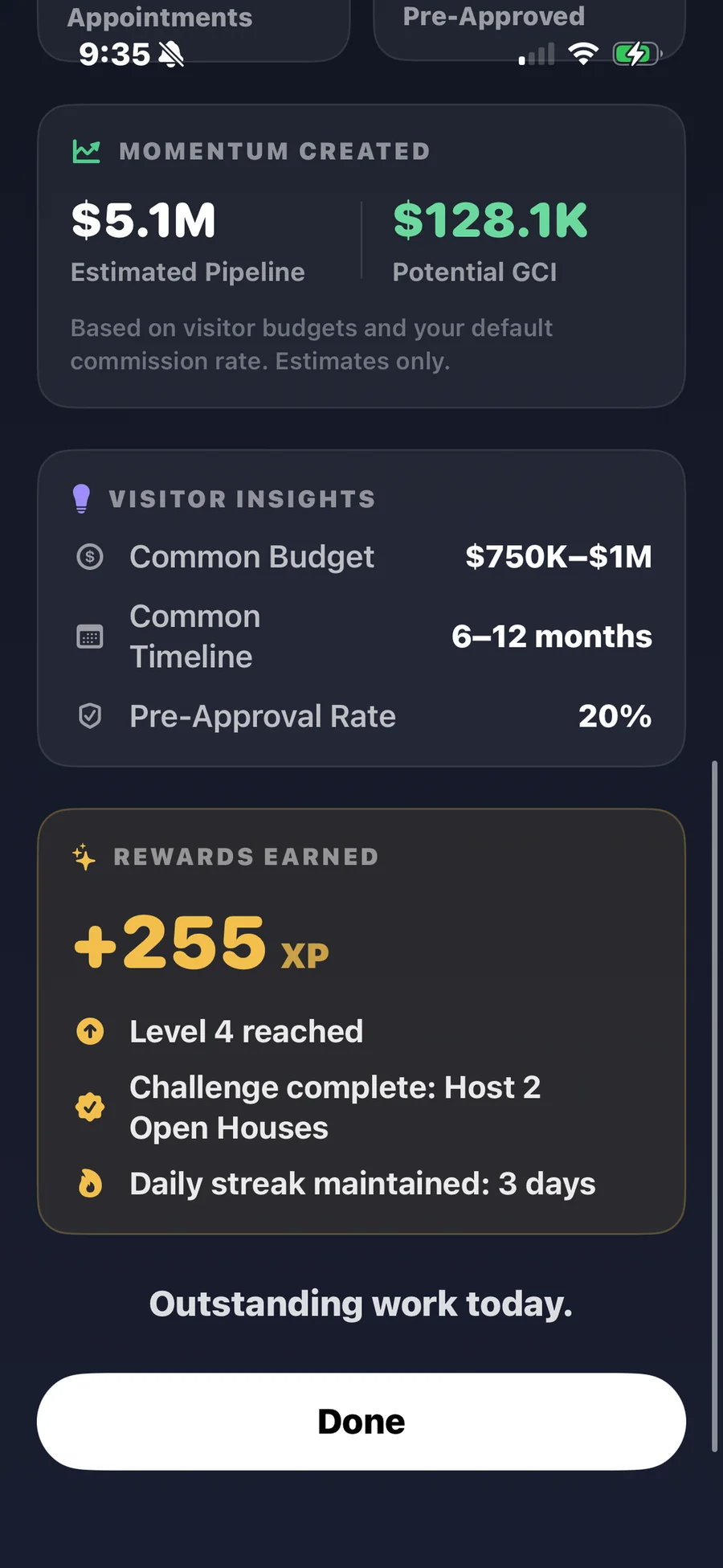
  • Visitor count for the session
  • Hot, warm, and cold breakdown
  • Follow up opportunities
  • XP earned and personal bests
A Zignin open house report on iPhone showing estimated pipeline, visitor insights and the XP, level and streak earned during the session

Earnings

Track the business your work produces. Closings that started with an open house lead sit alongside the ones you log by hand, so the year is complete in one view.
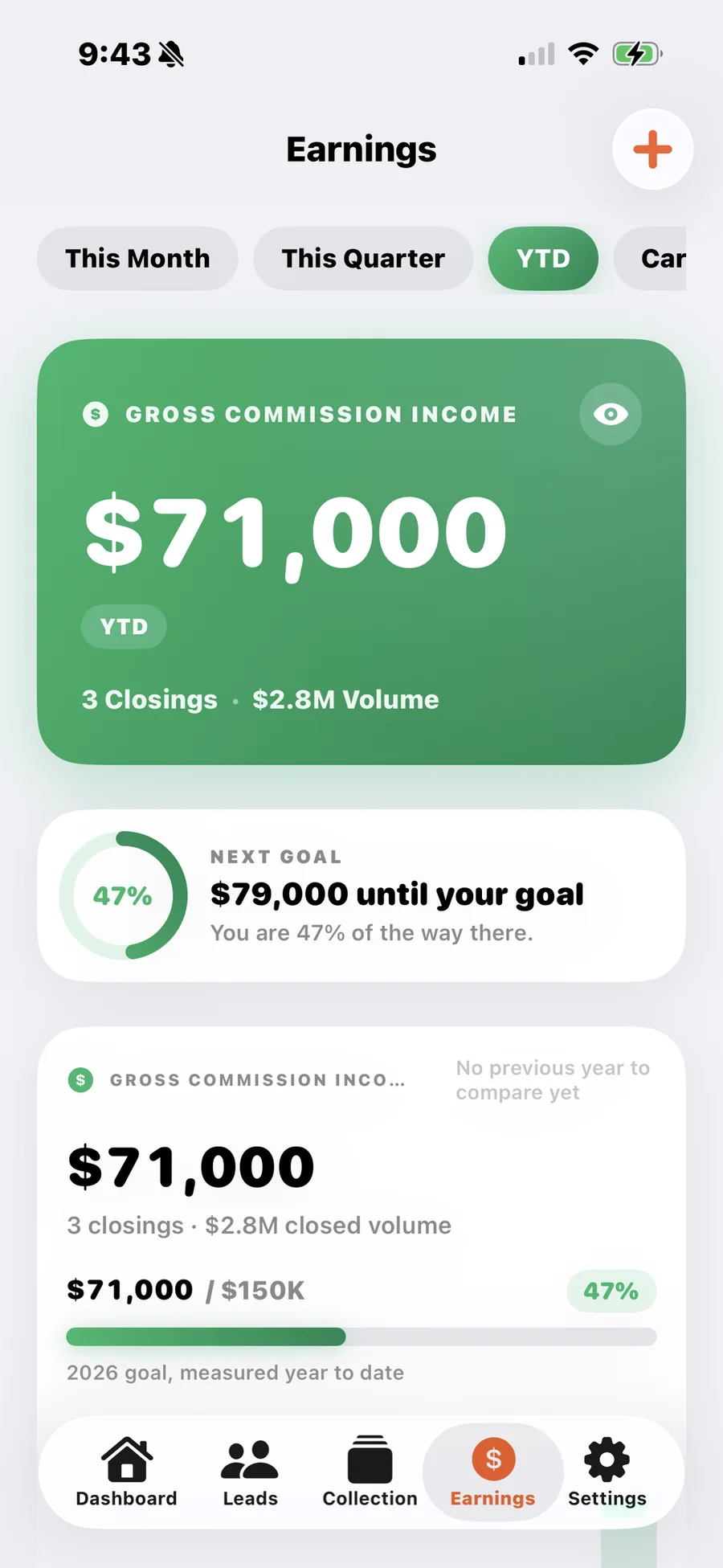
  • GCI and sales volume
  • Transactions closed
  • Open houses hosted
  • Earnings by source
The Zignin Earnings screen on iPhone showing year to date gross commission income, closings, closed volume and progress toward an annual goal

Hot, warm, and cold at a glance

Leads are organized by how promising they are, so the first call after an open house is an easy decision rather than a scroll through a list.

hot
Call these first.
warm
Worth a real conversation.
cold
Kept and organized for later.

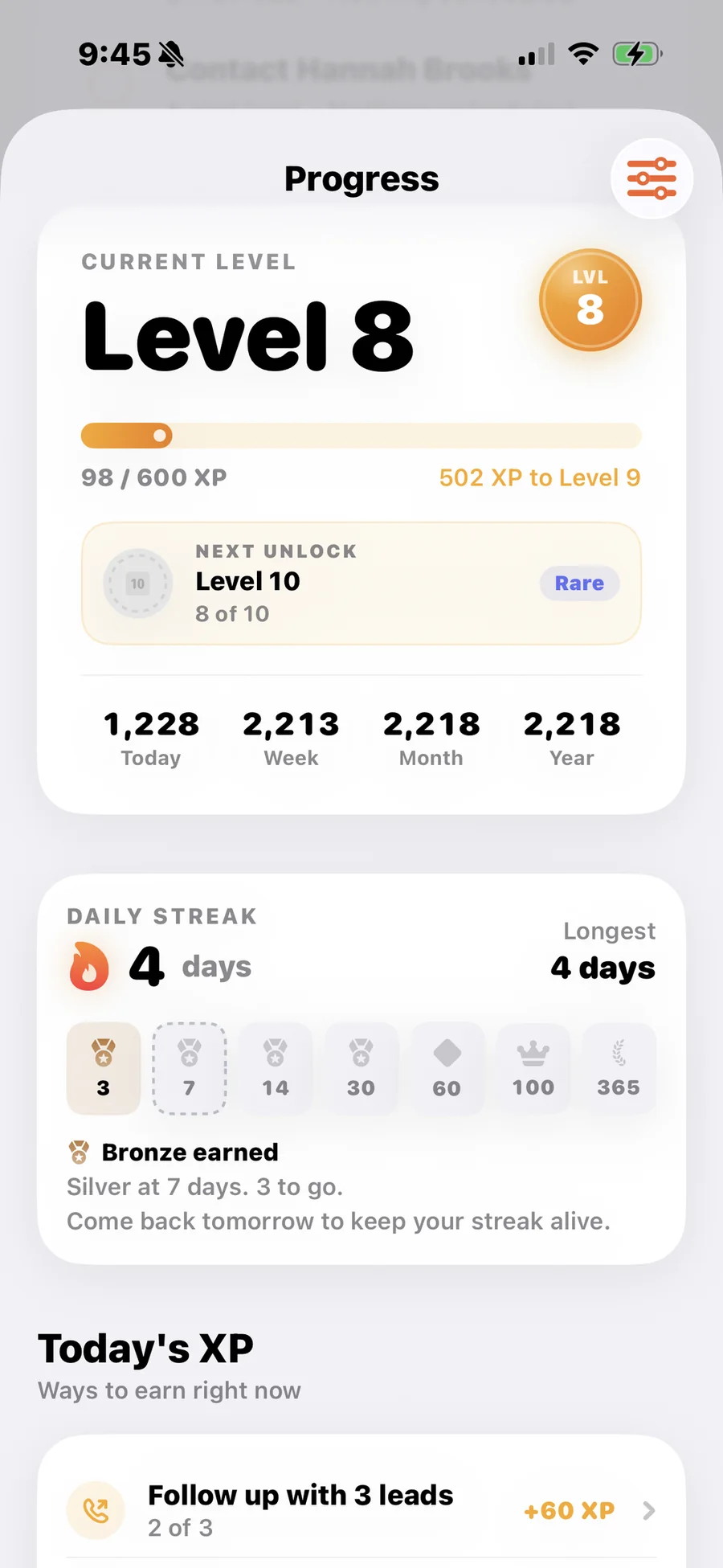
Progress you can actually see

XP and levels

Activity that moves your business forward earns XP, and XP moves your level. Progress you can see without opening a spreadsheet.

Streaks

Consistency is the hard part of this job. A streak gives the weekends you show up something to add up to.

Achievements

Milestones unlock as your habits hold, from your first hosted open house onward.

Personal bests

Your own records, set and broken by you. No leaderboard against strangers.

The parts that keep working after the open house

Career goals

Set annual targets and watch the year fill in against them.

Business sources

See where closings came from, including the ones that started at an open house.

Customization

Three kiosk themes, your branding, and a sign in flow you shape around the property.

iPhone and iPad

Run your day from the phone in your pocket. Set the iPad by the door for visitors.

Try it at your next open house.

Fourteen days free, then one plan with everything you just read about.

Coming to the App Store

Zignin is being prepared for release on the App Store.

The Zignin Progress screen on iPhone showing the current level, XP toward the next level, a daily streak and streak milestone badges